A clearer message composer for quotes and invoices
When sending a quote or invoice, you can now copy in other people and use Marshall to revise the message.
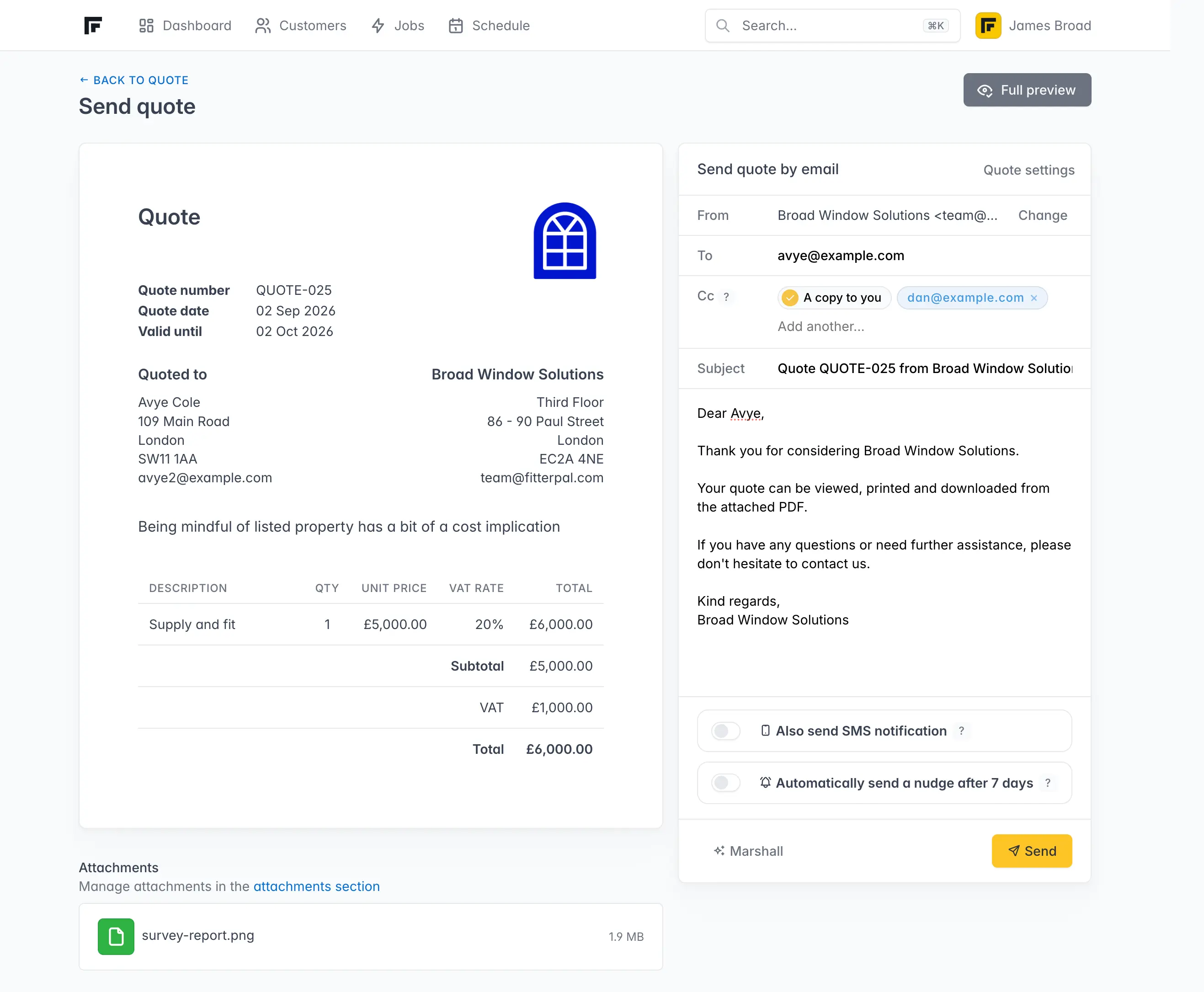
When you send a quote or invoice, the message area now matches the updated message composer. You can add CC recipients and ask Marshall to revise your wording before you send it.
The quote or invoice itself and the way your customer receives it have not changed.
Copy extra people in
You can copy other people into the email, such as an accounts contact, partner, or site manager.
You can still send yourself a hidden BCC copy for your own records.
After you send, the history on the quote or invoice shows who was copied in.
Marshall can revise the message
Marshall is now available in the message composer. Starting with your quote or invoice template, you can ask it to shorten or lengthen the message, change the tone, or correct spelling.
Review the result before sending. You can edit it yourself or use Undo to return to the original. Marshall does not send the email for you.