You quote in one app, store photos in Dropbox, schedule on a whiteboard, and invoice in Xero. Each tool works on its own. The problem is you retype the same customer name four times, and when glass slips a day, nobody knows which version of the diary is right.
That stack is normal for small fitting firms. A 2024 trade survey found four in ten UK installers already use digital tools mainly to save admin time; another third say software helps with work-life balance and labour shortages. The point isn't flashy tech. It's getting your evenings back.
You don't have to rip everything out at once. Modernise one slice of the job-management lifecycle at a time, pick tools that fit your budget, and only stack the next piece when the first one has earned its place. Below is each stage, the point-solutions lots of fitters already use, and how an all-in-one platform such as FitterPal can eventually join it up.
Enquiry, survey and quoting
Most owners start with a whiteboard or a notebook. A simple upgrade is a free Trello board: each card is a customer, dragged from "Enquiry" to "Quoted" to "Won." It lives in the browser or on your phone and takes minutes to learn.
For quotes and visuals Quoting and Estimating Software: Boosting Accuracy for Window InstallersRe-keying sizes across Word, accounts and supplier portals is where margins die, and quoting software that captures once and generates quote, order and invoice from the same record fixes that., many installers add Tommy Trinder or WindowLink. You sketch frames over the customer's photo, auto-price the parts, and send a polished proposal. That matters when you sell PVC-u, aluminium and composites: the homeowner sees the result instead of guessing from a line item. Less back-and-forth on colour and style.
Where everything connects on one job record, the lead becomes the quote without retyping names or re-pricing extras. See quoting tools for window installers Quoting tools for window installersChoose the right quoting tool for window fitting by matching how you price jobs today to software that captures survey data once, produces professional quotes, and tracks follow-up without retyping. for a fuller comparison of options.
Scheduling and crew management
Even at five jobs a week, diaries fall apart when glass arrives late. You move Tuesday's bay to Thursday, but the fitter still turns up on Tuesday because the shared calendar never got updated.
Some firms use Google Calendar; others add due dates in Trello. That works until you're shuffling three crews, two service calls and a re-measure in the same afternoon.
Job-management platforms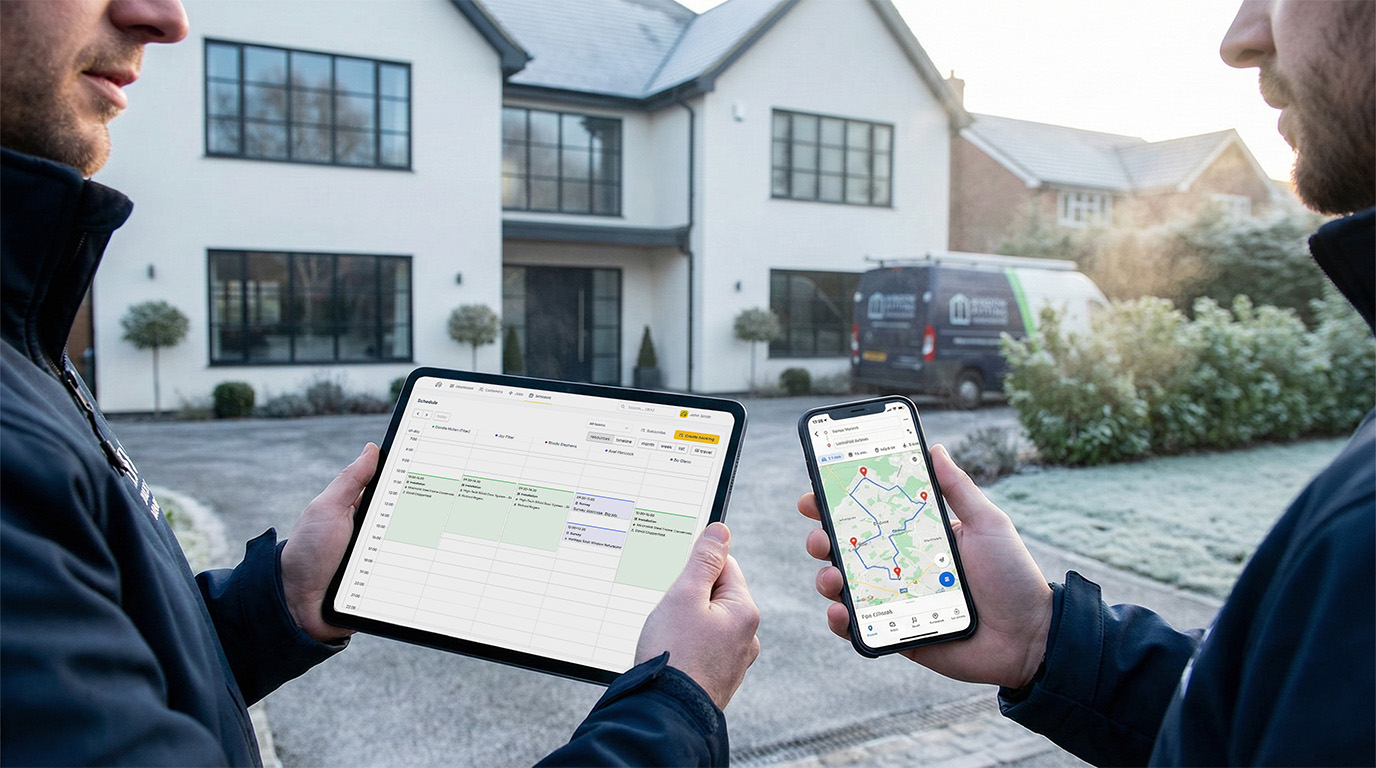 Scheduling software for installersInstallers need scheduling that shows who's where, notifies customers and staff automatically, and gives fitters their day on their phone without group-chat chaos. earn their keep here: FitterPal, but also broader construction CRMs. One change reschedules the job, notifies the fitter's phone, and updates the customer. A shared Google Calendar is fine when one van and a handful of jobs are enough. When several fitters need the same live diary and jobs move daily, you want the schedule tied to the job, not a list of calendar entries.
Site photos, drawings and paperwork
Photos win disputes and lose warranty arguments when you can't find them. Most crews start with a shared Dropbox or Google Drive folder: snap before and after on site, upload over Wi-Fi that evening. Everyone sees the same images quickly.
The weak spot is naming. Unless every fitter labels jobs the same way, pictures vanish in the folder list. Integrated systems tag photos to the job record Before, during, after: why organised job photos win you more workOrganised job photos attached to each job by stage are your best defence in a dispute, your fastest sales proof on site, and free marketing you already paid for. automatically, keep them with the quote and FENSA paperwork, and bring them back when a warranty call lands two years later.
Ordering, invoicing and accounts
Most small trades pair a spreadsheet with an accounting package such as Xero, QuickBooks, Sage, or FreshBooks because they sync bank feeds, handle VAT, and send invoices by email. The catch is manual copying: quote values into your accounts software, payment status back into whatever you're using for jobs.
An all-in-one setup sends an accepted quote to a supplier order and raises an invoice when the customer signs off. If you want to keep your accounts package, choose software that integrates via API so data flows without double-keying.
After-care, reviews and repeat work
The job isn't finished when the glass is in. A quick SMS with a link to your Google review page while the install is still fresh can noticeably lift feedback and help your map listing. Some installers wire this through Zapier; others use built-in CRM prompts. Same idea: ask at the right moment, not three weeks later when they've forgotten your name.
Pulling the puzzle together
Trello + Dropbox + Tommy Trinder + Xero is a workable stack, and for many one-van outfits it's the gentlest start, often alongside a job management spreadsheet Window fitting job management spreadsheet: when to use one and when to move onSpreadsheets work when you're small, but they break down once your team is on the road, you need photos on jobs, and nobody has time to keep them current.. Over time the log-ins multiply and information sits in silos. Customer details in one place, survey photos in another, schedule in a third.
That's the case for platforms like FitterPal: familiar board-style workflow, but quoting, scheduling, photos, purchase orders and invoices on one job. New staff learn one interface instead of four.
Where to start: if quoting eats your evenings, fix that first. If double bookings and wrong addresses are the pain, start with scheduling. If you're drowning in camera-roll photos and lost paperwork, start with organising how jobs are run How to organise a window fitting businessAn organised fitting business knows where every job stands, keeps customers and schedules in one place, and attaches photos to jobs instead of losing them in phones.. Pilot one slice, track the time you save, then add the next.
The goal isn't tech for tech's sake. It's fewer late-night admin sessions and a smoother experience for every customer you serve.